Project - Google Slide Template: A Modern Multipurpose Solution
More Than Just Slides: A Foundation for Your Ideas
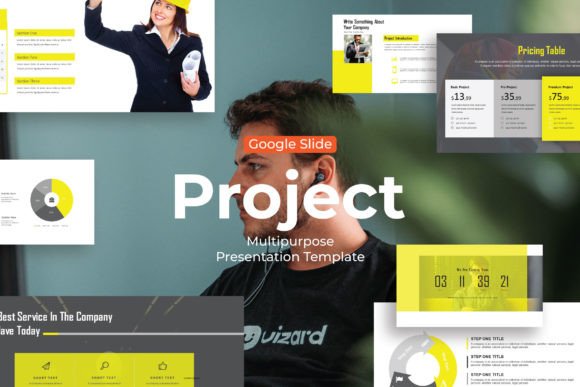
When you open a new presentation file, that blank canvas can feel intimidating. You need to convey complex information, tell a compelling story, and keep your audience engaged, all while maintaining a professional polish. The Project - Google Slide Template is designed to solve that immediate problem. It’s not just a collection of pre-made pages; it’s a structured system built to present your business plans, creative concepts, startup pitches, or educational content with clarity and modern appeal. The visual personality here is clean, contemporary, and versatile. It avoids overly trendy flourishes that might date quickly, opting instead for a balanced aesthetic that feels both professional and approachable. This makes it a reliable design asset for anyone who needs to communicate ideas effectively without starting from absolute zero.
The core appeal lies in its adaptability. Whether you're a designer putting together a client proposal, an entrepreneur outlining a business model, or a teacher creating a learning module, the template provides a coherent starting point. The style is built on modern typography principles, using sans serif fonts that prioritize readability across screens. The layouts are spacious, allowing content to breathe, and the use of vector-based icons adds a layer of professional polish without clutter. It’s a system designed for real-world use, acknowledging that most people aren’t presentation design experts but still need to deliver impactful visuals.
Practical Applications Across Industries
Understanding where the Project - Google Slide Template works best is key to leveraging its full potential. For entrepreneurs and small business owners, it’s a powerhouse for investor pitches, internal team updates, or client-facing proposals. The consistent structure helps build a strong brand identity through repeated use, ensuring every deck feels like it comes from the same professional source. The picture placeholder and drag and drop image features are particularly valuable here, allowing for quick customization with product shots, team photos, or relevant visuals without wrestling with alignment and sizing.
For marketers, bloggers, and content creators, the template transcends traditional slide decks. It can be repurposed into engaging social media carousels for platforms like LinkedIn or Instagram, educational PDF guides, or visual blog post summaries. The 30+ total slides offer enough variety to create a cohesive series of graphics without repeating layouts. The ease of changing colors means you can quickly align the template with a specific campaign's palette or your established brand guidelines. The professionally designed slides act as a foundation, freeing up creative energy to focus on the message and storytelling rather than pixel-pushing.
Educational professionals and trainers find immense value in its clarity. The logical flow from title to content to conclusion is intuitive for learners. Using recommended free web fonts ensures that presentations will look consistent across different devices and operating systems—a crucial detail when sharing materials widely. The template’s structure naturally supports visual hierarchy, guiding the viewer’s eye from key points to supporting details, which enhances comprehension and retention.
Maximizing Impact: Design and Usability
The true test of any template is how it influences your workflow and the final result. The Project - Google Slide Template directly impacts several critical aspects of presentation design. Its predefined font pairings and layout grids establish a clear visual hierarchy, making it easier for your audience to follow your narrative. This isn’t just about aesthetics; it’s about readability and audience engagement. A well-structured slide prevents cognitive overload, allowing viewers to absorb information smoothly.
From a practical standpoint, the easily editable nature is a significant advantage. You’re not locked into a rigid format. Need to add a section? Duplicate a slide. Want to emphasize a point differently? Swap out an icon. The vector-based icons are scalable without quality loss, and the color change functionality is typically straightforward, involving updates to the master slide or theme colors. This flexibility makes it a sustainable tool, not just a one-off solution.
A Few Considerations for Your Project
While the template is robust, a thoughtful approach will yield the best outcomes. First, consider your commercial font needs. The template uses free web fonts, which is excellent for accessibility and cost, but if your brand requires a specific premium font or serif font for certain elements, check compatibility and be prepared to make manual adjustments. Always test the final output on the device or platform where it will be viewed to ensure readability holds up.
Second, treat the template as a flexible framework, not a cage. The best results come from customizing it to fit your specific content. Replace placeholder text with your own concise, impactful copy. Use high-quality, relevant images in the designated placeholders. Adjust the color scheme to reflect your brand identity authentically. The goal is to use the template’s professional structure as a launchpad for your unique message, ensuring your final presentation is both polished and personal.
Final Thoughts on a Versatile Tool
In a landscape where visual communication is paramount, having a reliable, multipurpose tool like the Project - Google Slide Template is a practical advantage. It bridges the gap between needing a professional result and having limited time or specialized design skills. Its strength lies in its balanced, modern aesthetic and its focus on user-friendly features that streamline the creation process. For designers, it’s a solid base to build upon for clients. For entrepreneurs and creators, it’s a way to elevate their ideas with consistent, professional visuals. By focusing on its practical applications and understanding how to customize it effectively, you can transform this template from a simple file into a core component of your communication toolkit.